

Windows
betaWindows 10 and 11, 64-bit
PowerShell
irm https://sonojot.com/install.ps1 | iexPress a key. Speak. Finished text appears at your cursor.
Speech to text runs offline, on your computer. For Windows and Macs with Apple Silicon, and Linux in alpha.
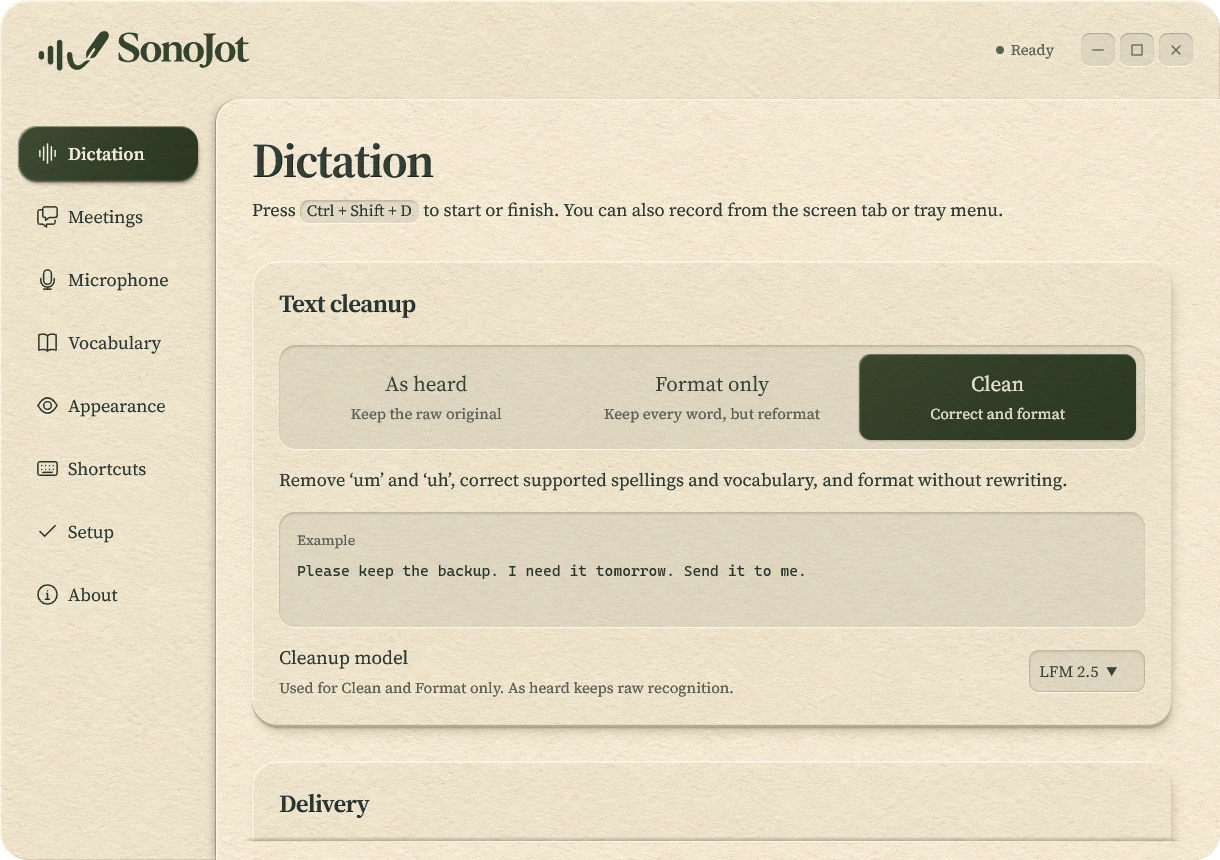
You control how much cleanup is applied to your voice typing.
Remove ‘um’ and ‘uh’, correct supported spellings and vocabulary, and format without rewriting.
SoIthinkweshouldshipthebetaonFriday.Let'skeeptheoldinstallerarounduntilwe'resure.
Whichever you pick, the raw recognition is saved unchanged alongside it.
Your microphone and your computer’s audio, captured together and transcribed.
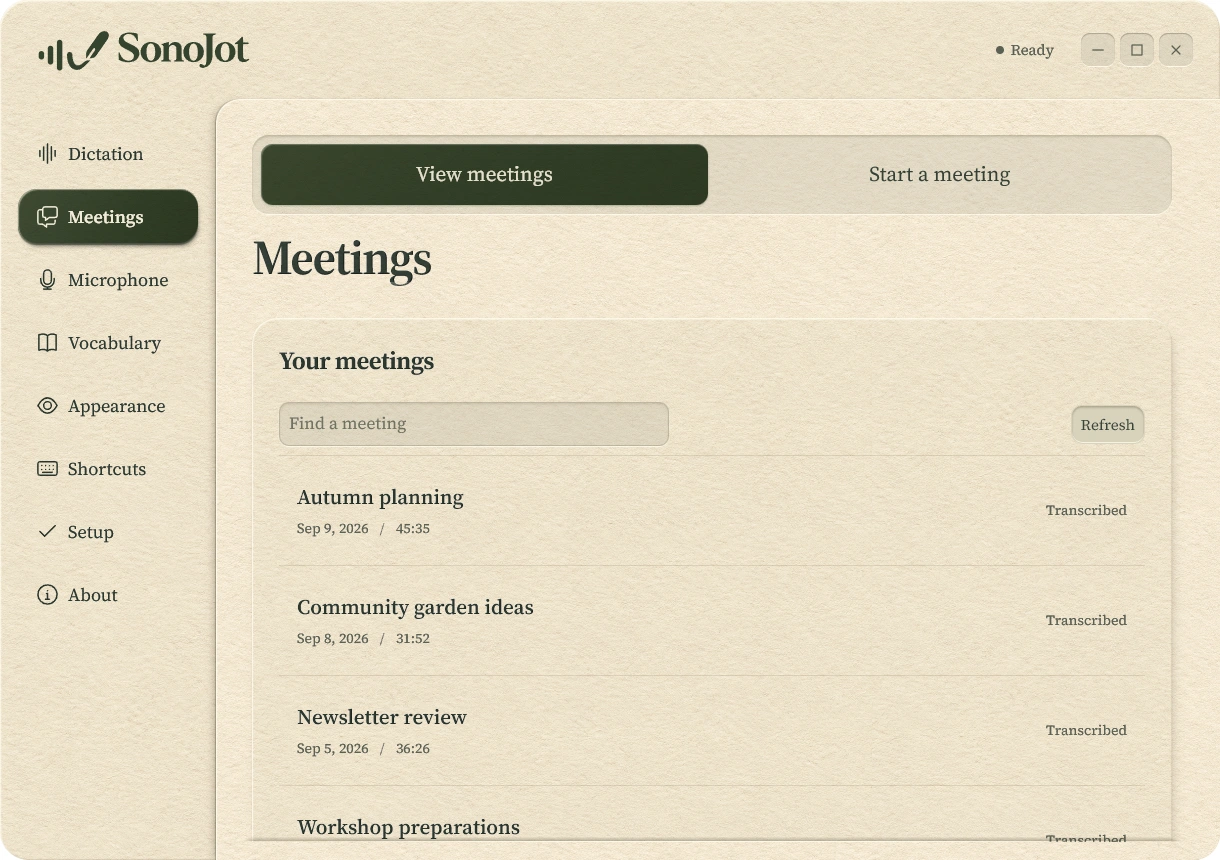
Everything is processed on your own computer.
We compared open speech models by download size and published accuracy before choosing which ones SonoJot offers.
Qwen makes fewer English word errors than Whisper at a similar size, which is why SonoJot recommends it.
Word errors are the Open ASR Leaderboard's published English average across seven public test sets, excluding TED-LIUM, from the snapshot of October 12, 2026 (revision f82da858). They are scores for each model family, not measurements of the quantized files SonoJot downloads, and they say nothing about speed or other languages. Error rates do not depend on hardware; the two views only separate models by where they run.
Sizes exclude runtimes, and some sizes for models SonoJot does not ship are estimates. Whisper Small and Medium use their English-only sibling's scores. Models without a comparable score, including Apple Speech, are not shown. SonoJot's own tests on real dictation also shaped which models it offers.
Leaderboard data| Model | Download | Word errors | Runs on | In SonoJot | Why |
|---|---|---|---|---|---|
| Granite 4.1 NAR | 2.50 GB | 5.70% | GPU | Offered | For meetings: fewer errors on room microphones in our tests. |
| Qwen 1.7B Q8 | 2.52 GB | 6.25% | GPU | Offered | Our GPU dictation choice, informed by tests on real dictation. |
| Qwen 1.7B Q4 | 1.64 GB | 6.25% | CPU | Offered | Our most accurate measured CPU dictation option. |
| Parakeet v2 | 0.66 GB | 6.44% | CPU | Offered | Compact English speech recognition on CPU. |
| Qwen 0.6B Q8 | 1.02 GB | 6.93% | CPU | Offered | Smaller multilingual option for less powerful computers. |
| Moonshine Medium | 0.27 GB | 7.18% | CPU | Offered | Fast English streaming with live text. |
| Moonshine Small | 0.14 GB | 8.42% | CPU | Offered | Small English streaming option. |
| Whisper Turbo | 1.04 GB | 8.44% | CPU, GPU | Offered | Kept for languages Qwen does not cover; GPU support requires Apple Metal. |
| Whisper Small.en | 0.38 GB | 9.24% | CPU | Offered | Multilingual sibling kept for languages Qwen lacks; plotted WER is Small.en. |
| Granite 4.1 AR | 2.56 GB | 5.65% | GPU | Left out | Similar accuracy to NAR, much slower in our measured runtime. |
| Cohere Transcribe | 2.41 GB | 5.84% | GPU | Left out | Did not improve dictation over Qwen in our tests. |
| Granite 4.0 | 2.56 GB | 5.87% | GPU | Left out | Superseded by 4.1; repeated output on some test clips. |
| Canary-Qwen | 2.80 GB | 6.05% | GPU | Left out | More errors and slower than Qwen on our test recordings. |
| Granite 3.3 8B | 9.50 GB | 6.07% | GPU | Left out | Much larger download for a small accuracy gain. |
| Qwen 1.7B sherpa | 2.40 GB | 6.25% | CPU | Left out | Larger and slower than Qwen Q4 in SonoJot's tests. |
| Qwen 1.7B FP16 | 4.73 GB | 6.25% | GPU | Left out | Larger download and slower response than Qwen Q8. |
| Granite 3.3 2B | 3.20 GB | 6.35% | GPU | Left out | Needs a runtime SonoJot doesn't ship. |
| Phi-4 multimodal | 4.00 GB | 6.46% | GPU | Left out | Needs a runtime SonoJot doesn't ship. |
| Canary 1B Flash | 1.05 GB | 6.81% | CPU, GPU | Left out | Needs a speech adapter SonoJot doesn't ship. |
| Parakeet v3 | 0.67 GB | 6.82% | CPU, GPU | Left out | More holdout errors than v2 in our sherpa CPU full-clip comparison. |
| Voxtral Small 24B | 14.00 GB | 7.06% | GPU | Left out | Much larger than Qwen without an accuracy gain. |
| Canary 180M | 0.21 GB | 7.48% | CPU | Left out | Needs a speech adapter SonoJot doesn't ship. |
| Voxtral Mini 3B | 3.19 GB | 7.53% | GPU | Left out | Less accurate than Qwen at a larger size. |
| Whisper Large v3 | 1.78 GB | 7.95% | GPU | Left out | More word errors than Qwen; slow on CPU. |
| Parakeet 110M | 0.14 GB | 7.98% | CPU | Left out | Not yet tested through SonoJot's recognition path. |
| Voxtral Realtime | 2.60 GB | 8.24% | GPU | Left out | More errors than Qwen on the published English average. |
| Whisper Medium.en | 0.95 GB | 8.66% | CPU | Left out | More errors than smaller CPU options. |
Speech recognizers put a period at many pauses. A small model of our own fixes sentence breaks and commas on your computer.
| Before | After | |
|---|---|---|
| Sentence breaks (F1) | 0.747 | 0.886 |
| False sentence breaks per 1,000 words | 16.7 | 0.9 |
| Commas (F1) | 0.744 | 0.884 |
Fine-tuned from Horizon-Labs punctuation-restoration-small (mmBERT-small) on earnings-call transcripts, synthetic dictation-style text and one consenting user's dictation. English only. Capitals come from SonoJot's rules, not the model. Open weights under CC BY-SA 4.0.
SonoJot Punctuation on Hugging FaceDownload the SonoJot dictation app for Windows or macOS on Apple Silicon, or build the Linux alpha.
Windows 10 and 11, 64-bit
irm https://sonojot.com/install.ps1 | iexApple Silicon, macOS 14 and later
curl --proto '=https' --proto-redir '=https' -fsSL https://sonojot.com/install.sh | shArch Linux and Omarchy, x86_64; Hyprland for the shortcut and paste
Early and rough: expect bugs and missing pieces. It builds from source, and meetings record the microphone only. Use Feedback in the app to report problems.
git clone https://github.com/Cody-Stevens/sonojot.git
sonojot/rewrite/scripts/linux/install.sh
Windows may show a SmartScreen prompt because the installer is not Authenticode-signed yet; choose More info → Run anyway.
Disclaimer: I made SonoJot for myself and use it daily. It is free and open source under the Apache License 2.0: fork it, change it, keep it. It comes with no warranty. Reported problems may or may not be addressed, and the app will change as I see fit, without notice.